Guide
Use your Conxt memory in Hermes
Conxt keeps the decisions, preferences and project facts you build up across ChatGPT, Claude, Gemini, Grok and other AI tools. In Hermes Agent it runs as the memory provider: before each turn Hermes gets back what matches your message, and what you decide while you work is saved to the same memory.
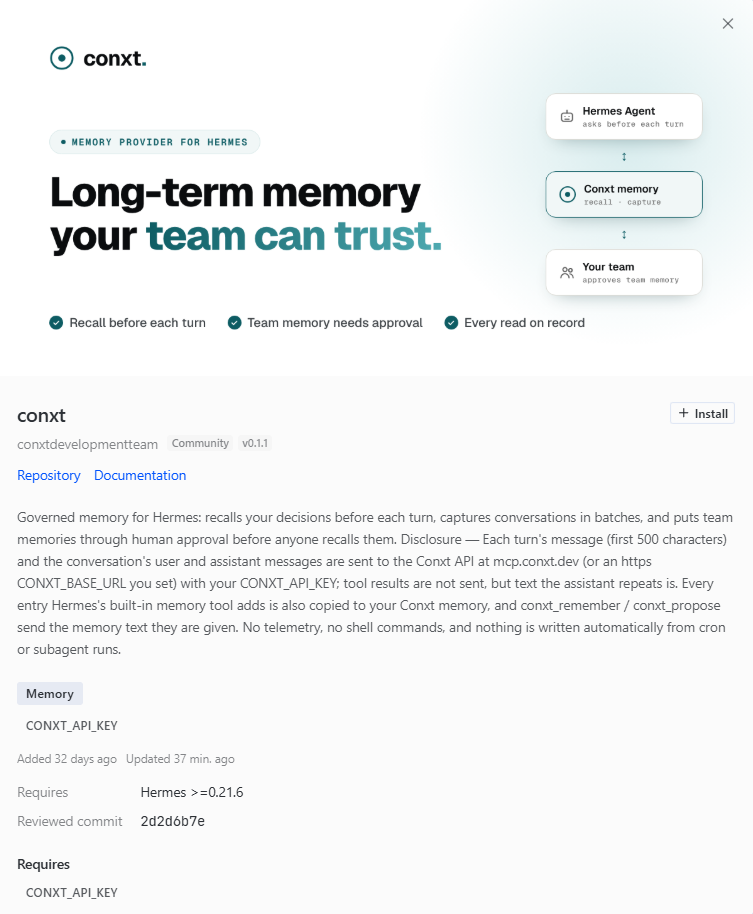
Conxt in the Hermes plugin catalog.
Before you start
- Hermes Agent 0.21.6 or later.
- A Conxt account, which is free. Create one if you have not.
- A Conxt API key for Hermes. Create it on the Hermes card at conxt.dev/connect-ide. Any plan can, Free included. Hermes gets a key of its own, so you can see what it reads and revoke it without touching your other tools.
Install the memory provider
- In your terminal, install Conxt from the Hermes plugin catalog:
hermes plugins install conxt- Run memory setup, choose conxt, and paste your API key when it asks:
hermes memory setup- Start a session and ask, for example: “What do you remember about my projects?” Hermes answers from the memories that match, with no tool call needed.
In Hermes Desktop the same listing is under Capabilities → Plugins: search for conxt and click Install, then run hermes memory setup to choose it and add your key.
Setup also asks for an optional team id. With one, recall adds your team’s approved memories, and Hermes can propose new ones. Team memory needs the Conxt Team plan.
What Hermes does with it
- Before each turn your message goes to Conxt and the matching memories come back as context: yours, plus your team’s approved ones if a team is set. Greetings and one-word replies are skipped.
- As you work the conversation is sent in batches: every 5 exchanges, before Hermes compresses its context, when you switch or end a session, and at shutdown. Conxt extracts memories from each batch.
- When Hermes’s built-in memory adds an entry, the same text is saved to your Conxt memory.
- When the agent chooses,
conxt_searchlooks something up,conxt_remembersaves a personal memory, andconxt_proposeproposes a team memory.
A person approves team memory. Hermes can only propose one. Nobody recalls it until someone on the team approves it in Conxt, and the plugin’s key cannot approve its own proposals.
It is safe for unattended runs. Scheduled (cron), subagent and flush runs are never written to automatically. If Conxt is slow or unreachable, recall is skipped for that turn, and nothing waits for a person, so an unattended run cannot hang.
Your data
- Everything goes to the Conxt API at
mcp.conxt.dev, with your key, and to nothing else. There is no telemetry, and the plugin runs no shell commands. - Recall sends the first 500 characters of your message. Capture sends the user and assistant messages. Tool calls and tool results are not sent, but anything the assistant repeats in its reply is, such as a file path or code it quotes. Conxt redacts secrets it recognises before it stores a memory.
- Conxt logs each recall: what was read and who read it.
- What Hermes saves goes into your Conxt memory, and you can edit or delete it from your dashboard.
- Conxt’s privacy policy covers connected apps, and privacy architecture explains how memory is stored.
Tools only, over MCP
Hermes can also reach Conxt as an MCP server at https://mcp.conxt.dev/mcp/, for example as a connector in Hermes Desktop under Capabilities → Connectors → Add your own, where you sign in instead of pasting a key. That gives Hermes Conxt’s tools, but no recall before each turn and no capture: the model uses them only when it decides to. Use the memory provider for memory that works on every turn.
Turn it off
Run hermes memory setup and choose another provider, or none. To cut Hermes off on the Conxt side, revoke its key at conxt.dev/connect-ide.
Troubleshooting
- Hermes recalls nothing: save or import some memories first, then ask again.
- The key is rejected: create a new one on the Hermes card and run memory setup again.
- Install fails on version: update Hermes to 0.21.6 or later.
Help
The plugin’s source and full settings are on GitHub. Or email hello@conxt.dev and a person will reply.